Overview
I recommend the G6 Pro Dome most often when you want premium fixed surveillance with stronger low-light performance than the regular G6 models.
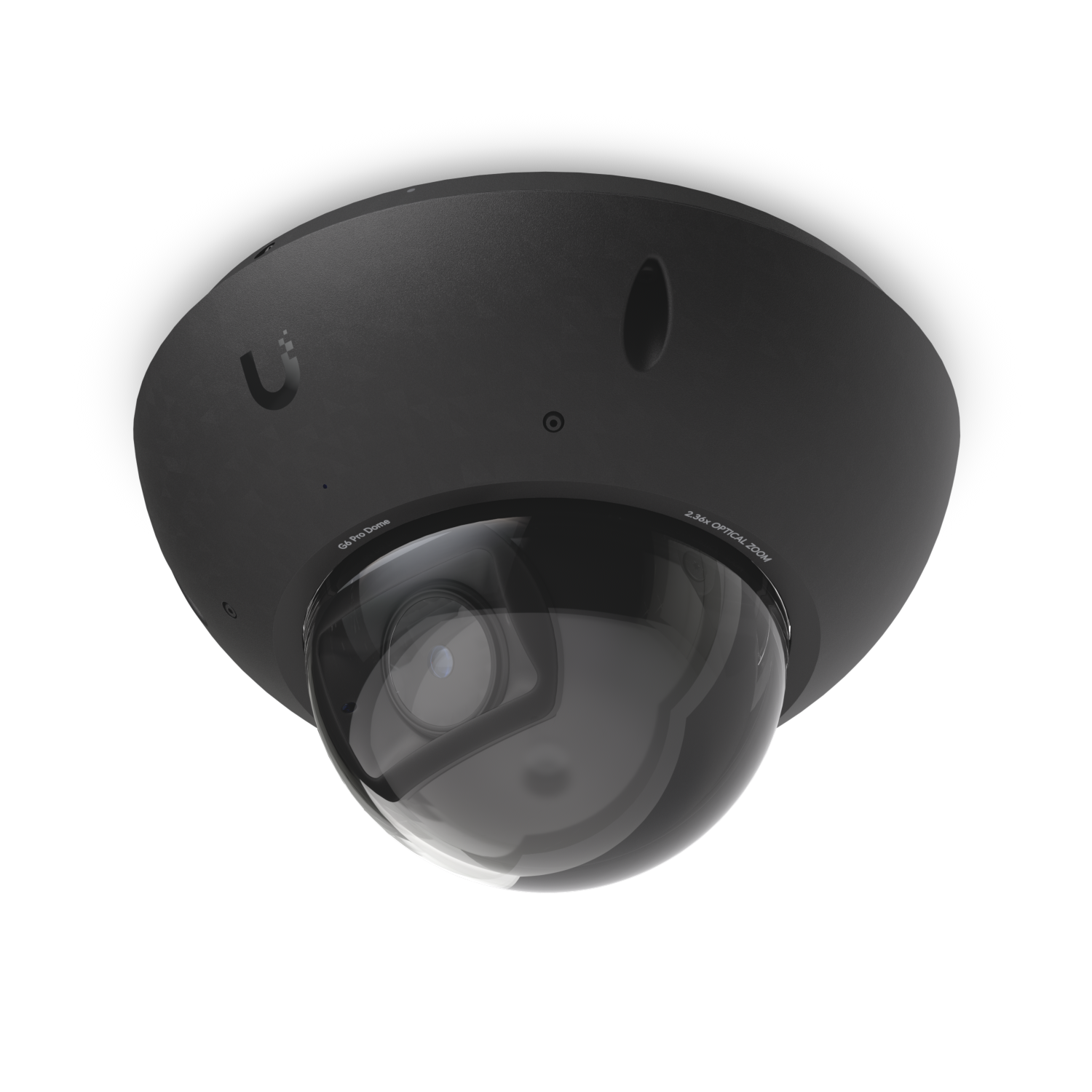
I recommend the G6 Pro Dome most often when you want premium fixed surveillance with stronger low-light performance than the regular G6 models.
Affiliate disclosure: Product links are affiliate links. If you buy through them, I may earn a commission at no extra cost to you.
I recommend the G6 Pro Dome most often when you want premium fixed surveillance with stronger low-light performance than the regular G6 models.
I recommend the Ubiquiti G6 Pro Dome for its 4k capture, multi-tops ai engine. The easiest way to understand it is to compare it with the G6 Dome when budget matters, or the G6 Pro Turret if you want similar image quality in a turret body.
At around $499, G6 Pro Dome is not a bargain camera, but it is the kind of premium model that can save disappointment in difficult scenes. It makes the most sense where lighting is mixed, identification matters, or truck rolls are expensive.
On performance, G6 Pro Dome gives you 4K, large 1/1.2-inch CMOS, 2.36x optical zoom backed by Multi-TOPS AI engine. In practical use, that translates to cleaner night footage and more confidence in exposed or high-traffic installs, with 40 m IR, vandal-proof IK10.
Setup is straightforward by UniFi standards: PoE+ on the cable side, Adopt in Protect, then spend most of your time on angle, mount choice, and detection zones. The nicer part of the experience is that once the camera is physically in the right place, UniFi usually makes the software side pleasantly uneventful.
At around $499, G6 Pro Dome is not a bargain camera, but it is the kind of premium model that can save disappointment in difficult scenes. It makes the most sense where lighting is mixed, identification matters, or truck rolls are expensive.
| Specification | Details |
|---|---|
| Core Details | |
| Category |
Cameras
|
| Connectivity | |
| Protocols |
PoE, Ethernet, UniFi Protect
|
| Use Case | |
| Best for |
UniFi Protect users who want reliable AI-powered security cameras.
|
| Technical Specs | |
| MSRP |
$499.0
|
| Resolution |
8MP 3840 x 2160 (16:9)
|
| Frame rate |
30 FPS
|
| Field of view |
Wide: H 113.8°, V 61.9°, D 134°; Tele: H 45.5°, V 25.8°, D 52°
|
| Night vision |
40 m (131 ft)
|
| Dimensions |
⌀163.8 x 108.8 mm (⌀6.45 x 4.28")
|
| Weatherproofing |
IP66
|
Watch setup walkthroughs, product context, and companion guidance.
Part 6 of Designing the Ultimate Smart Home series. Discussion of cameras, sensors, and other security measures to protect your smart home.
5:38 448 views

Explore the benefits of using the Ubiquiti Unifi Platform in your smart home network and take a look at the initial setup of a Dream Machine Pro.
20:28 2.2K views

Basic configuration of the UDM Pro. Set up VLANs, wifi networks, and basic security in only 10 minutes.
9:24 1.2K views
Read deeper background, planning notes, and longer-form recommendations.

Private wells, multi-stage filtration, smart fixtures, flow sensors, valve actuators, and a sensor-dense water system that monitors and protects itself.

Ethernet, Wi-Fi, Zigbee, Z-Wave, Thread, MoCA, Bluetooth — every connectivity option for smart home devices explained, with practical recommendations for each.

First-time setup of the Ubiquiti Dream Machine Pro — from unboxing to a connected, monitored network with the full Ubiquiti control plane.