← Back to Products
Ubiquiti Pro Max 48 PoE
Managed switch

Ubiquiti Pro Max 48 PoE

★ 4.9NetworkingPrice tier $$$$

The Pro Max 48 PoE is the flagship access switch in this group, and it earns that title.

Affiliate disclosure: Product links are affiliate links. If you buy through them, I may earn a commission at no extra cost to you.

Overview

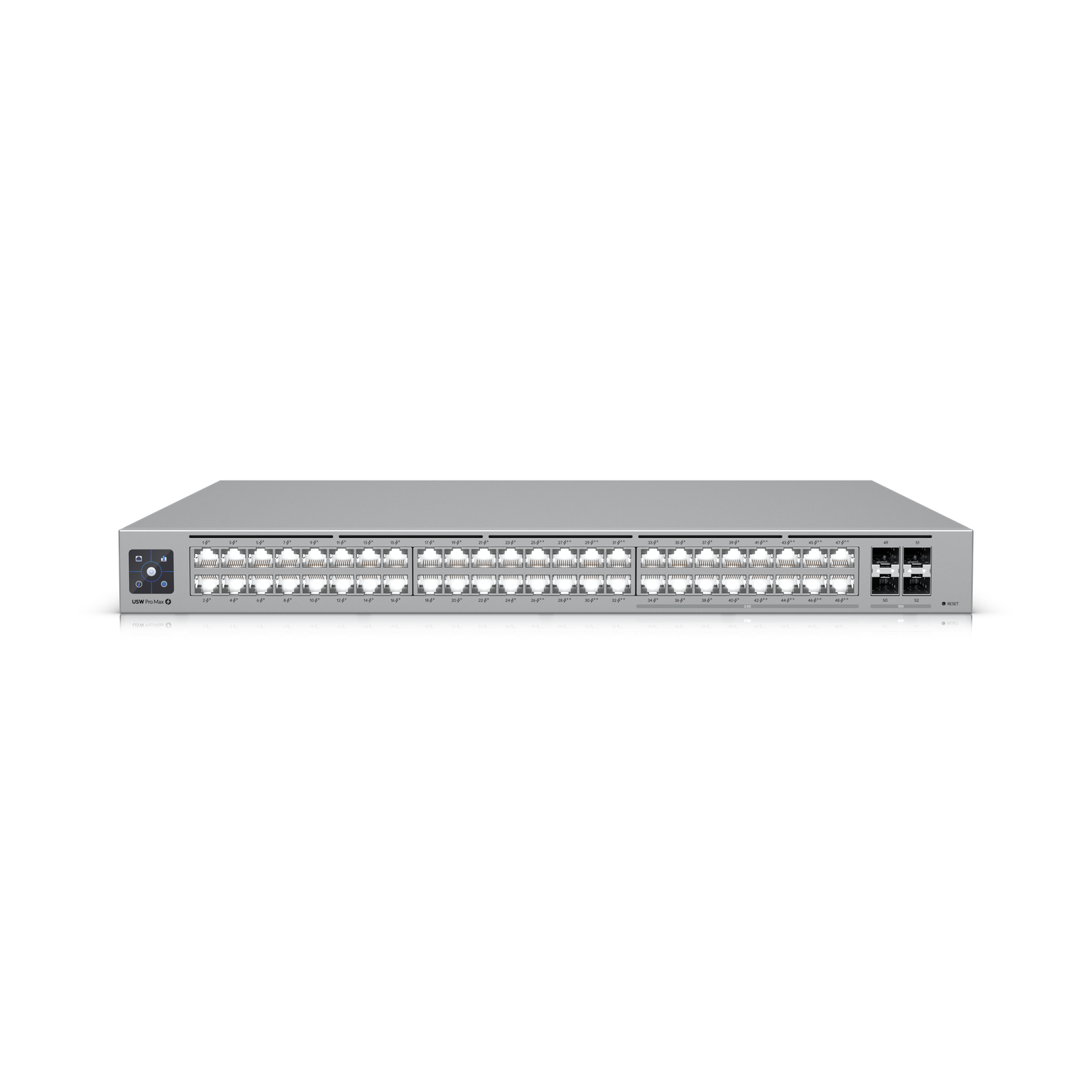
The Pro Max 48 PoE is the flagship access switch in this group, and it earns that title. It is the model I would point to for larger UniFi deployments that need high port density, serious PoE output, and enough multigig capacity to stay relevant well into the next refresh cycle.


Why I Recommend It

I recommend the Ubiquiti Pro Max 48 PoE for its huge 720w poe budget with poe++ support, adds sixteen 2.5gbe ports for modern access devices. Its biggest advantage over the older Pro 48 PoE is that it mixes traditional gigabit ports with sixteen 2.5GbE ports, while also adding Etherlighting and a higher-end feel throughout. That makes it mo…

This is an expensive switch, but it does justify the premium for larger offices, schools, retail chains, and demanding home labs. If you only need all-gigabit access, the Pro 48 PoE or Standard 48 PoE will feel like better value. If you want one swit…

Performance & Reliability

Performance is exactly what you want from a large access switch: high switching capacity, four 10G SFP+ uplinks, and a very healthy PoE budget. In real deployments, that means fewer compromises when you are powering dozens of APs, cameras, phones, and specialty gear from one chassis. As long as you have proper rack ventilation and realistic power planning, this is the sort of switch you install once and stop worrying about.

Setup & Installation

Initial adoption in UniFi is easy, but this is not a casual desktop switch. It is a full-size 1U rack unit with the kind of depth and weight you expect from a high-power PoE model, so cabinet space, cooling, and uplink planning matter. Once installed, Etherlighting can actually make cable tracing and port identification quicker than on the standard Pro range.

Value for the Money

This is an expensive switch, but it does justify the premium for larger offices, schools, retail chains, and demanding home labs. If you only need all-gigabit access, the Pro 48 PoE or Standard 48 PoE will feel like better value. If you want one switch that can handle both legacy devices and a meaningful number of multigig clients, the Pro Max 48 PoE is the stronger long-term buy.

Technical Specs

Core Details
Networking Category
Connectivity
PoE, Ethernet, UniFi Protocols
Use Case
Network architects who need managed PoE switching for smart home and AV gear. Best for
Technical Specs
$1299 MSRP

Related Videos

Watch setup walkthroughs, product context, and companion guidance.

Browse videos
Configure the Ubiquiti Dream Machine Pro in 10 minutes!
Networking

Configure the Ubiquiti Dream Machine Pro in 10 minutes!

Basic configuration of the UDM Pro. Set up VLANs, wifi networks, and basic security in only 10 minutes.

9:24 1.2K views

Supercharge your home network with the UDM Pro
Networking

Supercharge your home network with the UDM Pro

Explore the benefits of using the Ubiquiti Unifi Platform in your smart home network and take a look at the initial setup of a Dream Machine Pro.

20:28 2.2K views

UniFi Dream Machine Pro Setup & Review
Networking

UniFi Dream Machine Pro Setup & Review

A practical breakdown of whether the Dream Machine Pro makes sense as the core of a serious smart home network, including VLAN strategy and camera isolation.

18:42 857 views

Related Articles

Read deeper background, planning notes, and longer-form recommendations.

Browse articles
Configure the Ubiquiti Dream Machine Pro in 10 Minutes
Networking 8 min

Configure the Ubiquiti Dream Machine Pro in 10 Minutes

VLANs, wireless networks, and guest isolation on the UDM Pro — the practical configuration guide for a smart home-ready network.

Design the Ultimate Smart Home from Scratch — Part 7: Network
Design 10 min

Design the Ultimate Smart Home from Scratch — Part 7: Network

Full 42U rack design with patch panels, dual 48-port PoE switches, NVR, NAS, AI key, three hardwired access points, and Zigbee and Z-Wave dongles.

Smart Home Glossary: Every Term You Need to Know
Getting Started 18 min

Smart Home Glossary: Every Term You Need to Know

~45 terms covering automations, networking, protocols, devices, and Home Assistant — the reference guide to read any smart home article without getting lost.