This article covers the same ground as the video below — Eve Energy Outlet overview, installation walkthrough, pairing with Home Assistant, and automation ideas. Watch for the hands-on demo; read for the complete reference.
What is the Eve Energy Outlet?
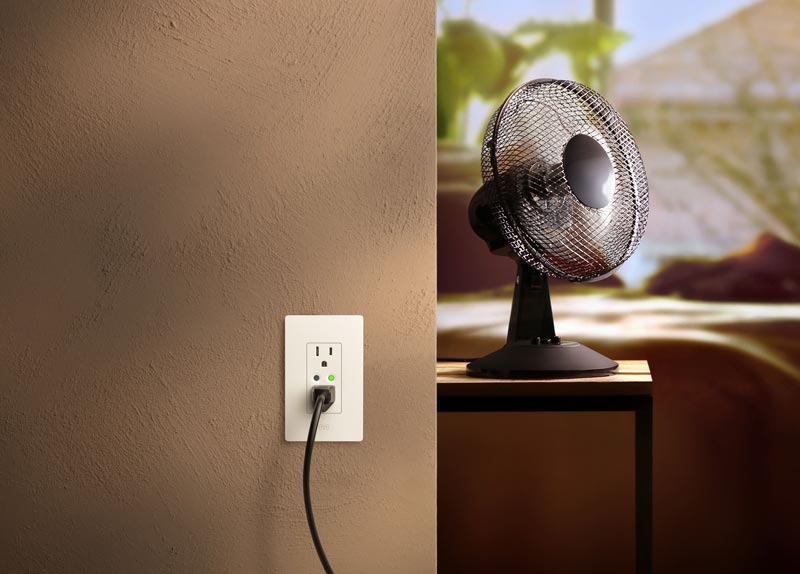
The Eve Energy Outlet is a standard 15-amp duplex receptacle that replaces an existing outlet entirely. The top and bottom outlets are individually controllable — each can be switched on or off via a physical button on the face or through your smart home network. It also monitors power consumption at the outlet level, all locally with no cloud required.
The device uses Matter for smart home integration and Thread for communication. Because it's permanently wired to your electrical main, it qualifies as a full Thread device — meaning it acts as a Thread router, relaying communications and strengthening your Thread mesh network. That's a meaningful distinction from a battery-powered Thread sensor, which can only act as a Thread end device.
What's in the box
The outlet ships with the receptacle itself, a detachable faceplate, two mounting screws, and wire nuts. The wire nuts will do the job for installation, but if you're comfortable with it, WAGO connectors make the stranded-to-solid wire splice cleaner and more secure. The outlet's pigtail uses stranded wire, which behaves differently from the solid core wiring you'll find inside most outlet boxes — the extra care with the connection is worth it.
Installation requirements
Before buying, verify the outlet box has three wires: line (hot), neutral, and ground. Some older wiring runs only have two conductors — line and ground — and the Eve Energy Outlet cannot be installed without a neutral. In the US, line is typically black, neutral is white, and ground is green or bare copper. If paint, drywall mud, or spray foam obscures the colors, label the wires before disconnecting anything.
Working on electrical infrastructure is not difficult, but it can be dangerous if done incorrectly. Always turn off the breaker for the circuit you're working on, and verify the outlet is dead with a non-contact voltage tester or outlet tester before touching anything. If you're not confident working with house wiring, consult a licensed electrician.
Installation walkthrough
Turn off the circuit breaker for the target outlet and verify no power is present. Remove the faceplate and unscrew the receptacle from the box. Pull the receptacle out — there's usually enough wire lead to work with, but occasionally it's tight. Disconnect the existing wires. If the old outlet uses push-in backstab connectors, use a small flathead screwdriver to release each wire from its slot.
The Eve outlet's pigtail has three stranded wires that need to be spliced to the existing solid-core wires — one each for line, neutral, and ground. If using wire nuts, position the stranded wire so it extends just slightly past the solid wire, then twist clockwise until tight. Give each wire a firm tug to confirm it's seated. If using WAGO connectors: flip up the tab, insert the solid wire until the copper is visible through the window, press the tab down, then repeat with the stranded wire. Use a separate connector for each pair — never mix line, neutral, and ground in the same connector.
Push all wires into the box, mount the outlet with the provided screws (check that it's level before fully tightening), and snap the faceplate on. Restore power at the breaker and test both outlets with an outlet tester to confirm correct wiring before pairing.
Pairing with Home Assistant
As with any Matter device, a QR code is provided for pairing. It's located under the faceplate on the receptacle itself, and also on a card included in the box. In the Home Assistant companion app, go to Settings → Devices & Services → Add Integration → Add Matter Device → New Device and scan the QR code.
A few things to have in order before attempting to pair: Matter requires a Matter server running on Home Assistant (available as an integration). Thread requires a Thread-capable radio — the Home Assistant Connect ZB1 works well — and an Open Thread Border Router integration. The Thread network must also have a primary network configured. Thread uses IPv6 and mDNS for device communication and discovery, so both need to be enabled on whatever VLAN the devices are connected to. The easiest approach is to put Home Assistant (including the Thread border router and Matter server) on the same VLAN as your smart devices.
When scanning, use an Android phone with the Home Assistant companion app installed, connected to the same 2.4 GHz IoT network the device will live on, with Bluetooth enabled. Before pairing, sync the Matter credentials in the companion app under Settings → Companion App → Troubleshoot → Sync Credentials.
What you can do with it
Once paired, both outlets appear as individually controllable switches in Home Assistant, along with energy monitoring entities showing real-time amperage, wattage, voltage, and historical kilowatt-hour consumption. Note that the energy monitoring reports combined usage from both outlets — it doesn't break down each outlet individually.
Scheduled control: Non-smart devices — floor lamps, accent lighting — can be put on a schedule or triggered by events like motion or presence detection. Any device plugged into the outlet becomes effectively smart without any modification to the device itself.
Battery management: Automatically cut power to a charging device when it reaches a target battery percentage, then restore it when it drops below a threshold. This is useful for wall-mounted tablets running Home Assistant dashboards — the outlet handles the charge management without requiring the tablet to do anything.
Energy monitoring automations: Get an alert when a device is left on that shouldn't be, or when consumption spikes unexpectedly. You can also use wattage draw as an event trigger — when a device powers on, its draw increases significantly, and that change can fire an automation. A CPAP machine plugged into the outlet can trigger a bedtime routine the moment it starts drawing power: a reliable signal that you're actually in bed, not just nearby.
Should you buy it?
At around $50, the Eve Energy Outlet is roughly comparable to buying two smart plugs, which puts the price in a reasonable range. The main advantages are the permanently installed form factor (can't be accidentally unplugged), a cleaner aesthetic, and Thread routing capability that strengthens your mesh.
There are real limitations to be aware of. It's currently available in a 15-amp version only — no 20-amp option for appliance-heavy circuits. There are no GFCI models, so it can't be installed in locations where code requires ground-fault protection (bathrooms, kitchens near sinks, garages, outdoors). It's only available in white. And if your home has many outlets, replacing them all is a real project — the installation itself is straightforward, but the time adds up.