← Back to Products
Ubiquiti UNAS Pro
Network infrastructure

Ubiquiti UNAS Pro

★ 4.5Data StoragePrice tier $$$$

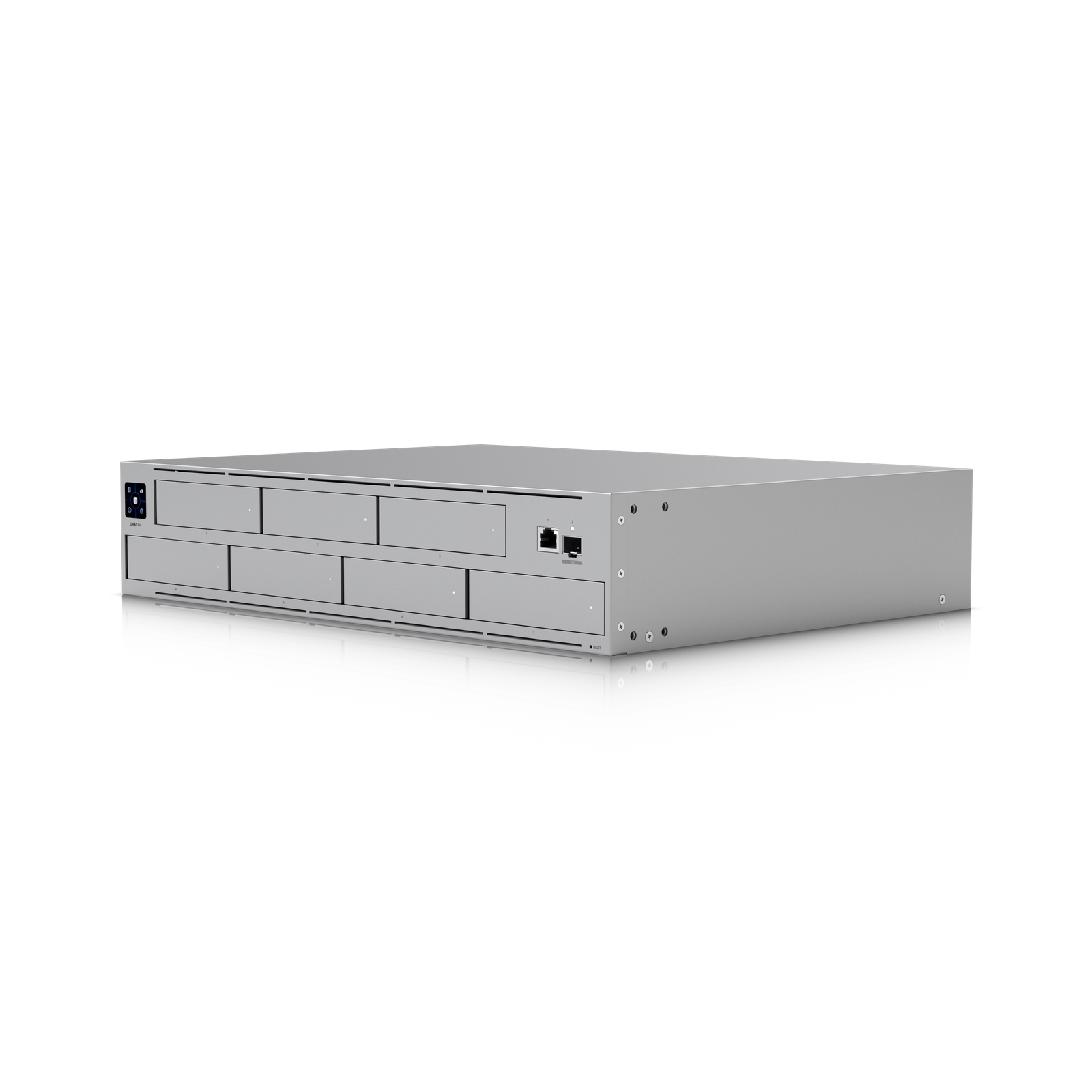
UNAS Pro is the network storage model I recommend when you want a rackmount UniFi NAS that feels substantial without immediately jumping to the biggest and most…

Affiliate disclosure: Product links may be affiliate links. If you buy through them, I may earn a commission at no extra cost to you.

Overview

The UNAS Pro is a rackmount NAS that integrates with UniFi OS. It handles local file storage and serves as the storage backend for UniFi Protect camera recordings in installations where you want more storage than a UDM Pro's internal capacity provides.

It mounts in a standard rack, connects over a high-speed network interface, and is managed alongside the rest of the UniFi environment rather than through a separate NAS operating system.


Why I Recommend It

Synology and QNAP NAS units are mature products with broader software ecosystems, but they require separate management interfaces and separate monitoring outside UniFi. The UNAS Pro's value is specifically the native UniFi integration, not raw NAS features.

UniFi Protect generates substantial storage over time at high resolution. A UDM Pro handles it adequately for small camera counts. Once you have ten or more cameras running at high resolution, dedicated external storage for Protect makes a noticeable difference in how far back your footage history reaches.

Performance & Reliability

Storage throughput handles multi-camera Protect recording workloads without bottlenecking. Sequential write performance is adequate for camera recording. It's not positioned as a high-performance compute NAS for video editing or intensive read workloads.

Drive reliability is ultimately the reliability of whatever drives you install. Enterprise or surveillance-grade drives rated for continuous write workloads are the correct choice for camera recording duty.

The UniFi OS integration means drive health and storage usage are visible in the same interface as the cameras that are writing to it, which simplifies monitoring.

Setup & Installation

Install drives, rack-mount, connect network cables, adopt in UniFi OS, point Protect storage to the UNAS Pro. Drive configuration and RAID setup happens through the UniFi interface. More straightforward than configuring a standalone NAS OS.

Value for the Money

Compared to a Synology NAS plus the integration work to connect it to Protect, the UNAS Pro at comparable drive capacity offers a simpler setup and native management. The Synology has more flexibility and more third-party software options.

For a UniFi-only environment where the NAS is solely for Protect storage and basic file sharing, the UNAS Pro is the cleaner choice. For anyone who wants to run Plex, Docker containers, or complex backup workflows on the same NAS, Synology's DSM ecosystem is the more capable platform.

Technical Specs

Core Details
Networking Category
Connectivity
Ethernet, UniFi Protocols
Use Case
IT-forward smart homes that need enterprise-grade network infrastructure. Best for
Technical Specs
$499 MSRP

Related Videos

Watch setup walkthroughs, product context, and companion guidance.

Browse videos
Supercharge your home network with the UDM Pro
Networking

Supercharge your home network with the UDM Pro

Explore the benefits of using the Ubiquiti Unifi Platform in your smart home network and take a look at the initial setup of a Dream Machine Pro.

20:28 2.2K views

Configure the Ubiquiti Dream Machine Pro in 10 minutes!
Networking

Configure the Ubiquiti Dream Machine Pro in 10 minutes!

Basic configuration of the UDM Pro. Set up VLANs, wifi networks, and basic security in only 10 minutes.

9:24 1.2K views

Design the Ultimate Smart Home from Scratch! Part 7 - Network
Design

Design the Ultimate Smart Home from Scratch! Part 7 - Network

Part 7 of Designing the Ultimate Smart Home series. Discussion of wired and wireless connectivity, network storage, routing, and switching.

11:20 1.0K views