← Back to Products
Ubiquiti Pro Max 48 PoE
Managed switch

Ubiquiti Pro Max 48 PoE

★ 4.9NetworkingPrice tier $$$$

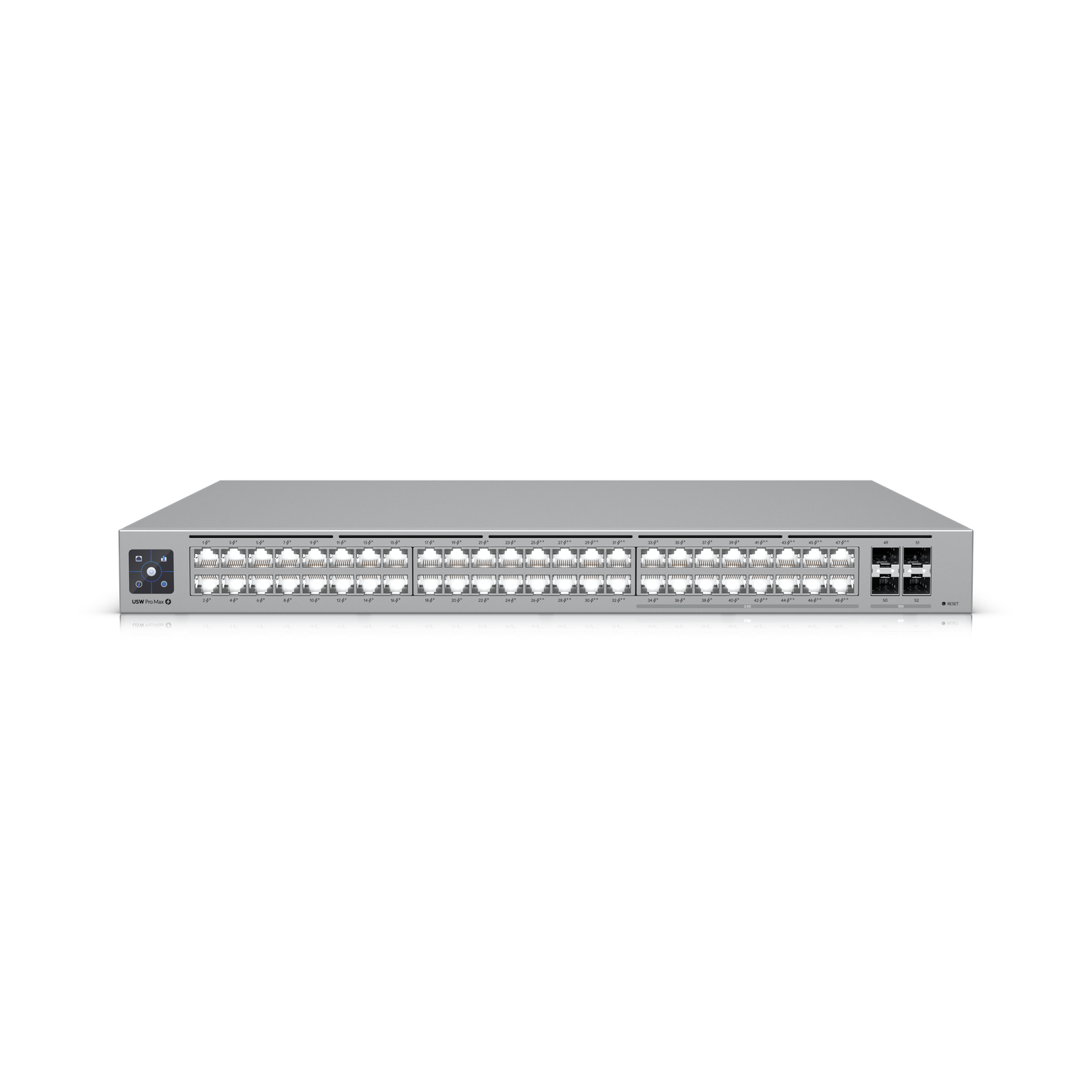
The Pro Max 48 PoE is the flagship access switch in this group, and it earns that title.

Affiliate disclosure: Product links may be affiliate links. If you buy through them, I may earn a commission at no extra cost to you.

Overview

The Pro Max 48 PoE is a 48-port 2.5G access switch with PoE++ on every port and a 10G SFP+ uplink to the core. It's designed for dense deployments where every device on the switch needs both fast throughput and PoE power, including WiFi 7 access points, IP cameras, and access control hardware.

The 2.5G per-port speed is the defining feature over previous UniFi switch generations. Devices capable of 2.5G get immediate throughput improvement, and devices that aren't still get their full gigabit.


Why I Recommend It

WiFi 7 access points generate enough traffic that a gigabit switch port becomes the bottleneck in dense deployments. The Pro Max 48 PoE eliminates that bottleneck at every port. For a deployment with multiple U7 Pro Max access points, this is the correct access layer switch.

The PoE++ budget per port supports 90W PoE devices, which covers even the most power-hungry access points and PTZ cameras without needing injectors or per-device power calculations beyond checking the total switch budget.

Performance & Reliability

Non-blocking switching fabric at 48 ports of 2.5G means no oversubscription under full load. Managed VLAN handling is predictable and doesn't degrade under high traffic. UniFi's stacking capability with this switch model allows multiple units to appear as one logical unit.

High-density PoE switches run warm under full load. Rack cooling airflow matters more for this unit than for lower-density predecessors. Verify rack ventilation before deploying in a sealed cabinet.

As with all UniFi switches, manage firmware updates manually. This switch powers other critical devices, so uncontrolled reboots during automatic updates can cause broader disruption.

Setup & Installation

Adopt in UniFi Network, assign ports to VLANs through the interface, and configure PoE power budgets per port if you need to prioritize specific devices. The 48-port scale means the port labeling and VLAN planning should be done on paper before touching the interface.

Value for the Money

Flagship price for flagship capability. For installations where 48 ports of 2.5G PoE++ is what's needed, there's no way to achieve this with cheaper hardware from within the UniFi ecosystem.

If half the ports or less will carry PoE devices, the non-PoE Pro Max 48 combined with selective PoE injectors or a smaller PoE switch may be more cost-efficient. Run the numbers on actual PoE device count before defaulting to the PoE version.

Technical Specs

Core Details
Networking Category
Connectivity
PoE, Ethernet, UniFi Protocols
Use Case
Network architects who need managed PoE switching for smart home and AV gear. Best for
Technical Specs
$1299 MSRP

Related Videos

Watch setup walkthroughs, product context, and companion guidance.

Browse videos
Configure the Ubiquiti Dream Machine Pro in 10 minutes!
Networking

Configure the Ubiquiti Dream Machine Pro in 10 minutes!

Basic configuration of the UDM Pro. Set up VLANs, wifi networks, and basic security in only 10 minutes.

9:24 1.2K views

Supercharge your home network with the UDM Pro
Networking

Supercharge your home network with the UDM Pro

Explore the benefits of using the Ubiquiti Unifi Platform in your smart home network and take a look at the initial setup of a Dream Machine Pro.

20:28 2.2K views

Smart Home Networking
Networking

Smart Home Networking

Learn the basics of smart home networking and why the network is a critical part of your smart home.

14:08 695 views