← Back to Products
Ubiquiti Pro Max 24 PoE
Managed switch

Ubiquiti Pro Max 24 PoE

★ 4.8NetworkingPrice tier $$$$

For many buyers, the Pro Max 24 PoE is the most balanced switch in the whole lineup.

Affiliate disclosure: Product links may be affiliate links. If you buy through them, I may earn a commission at no extra cost to you.

Overview

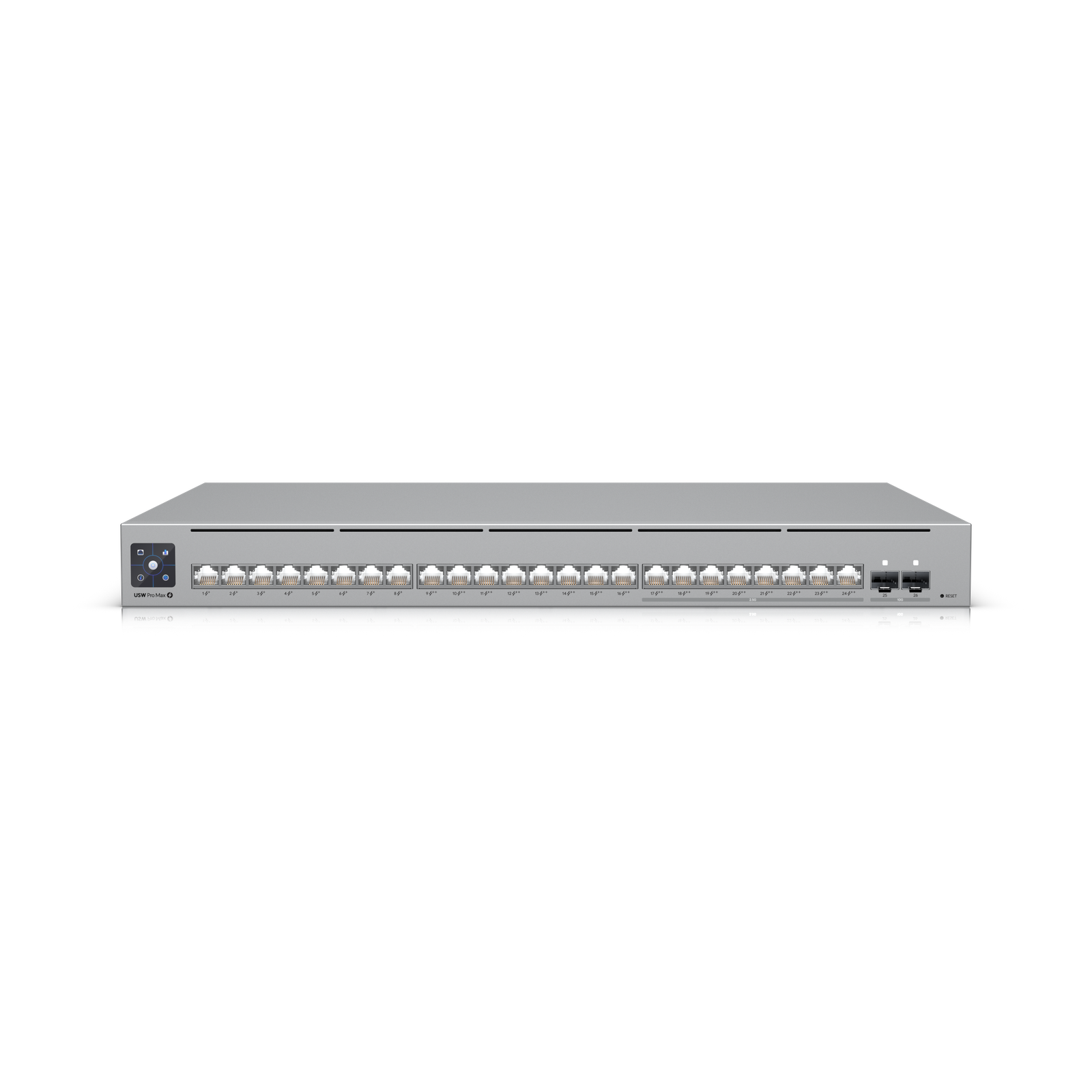
The Pro Max 24 PoE provides 24 ports of 2.5G with PoE++ and is the most balanced switch in the Pro Max lineup for most home and small office installs. It handles a full UniFi deployment including access points, cameras, and access control without the cost and rack space of a 48-port unit.

For the majority of installations, 24 ports covers the device count comfortably while the 2.5G throughput and PoE++ budget handles current and near-future hardware.


Why I Recommend It

Most home and small office UniFi installs don't come close to needing 48 ports. The 24-port version handles the same device types with identical per-port specification at a noticeably lower cost. The 48-port version makes sense when you actually need 48 ports.

PoE++ at 2.5G puts this above every previous generation of 24-port UniFi switches. U7 Pro Max access points, G6 Pro cameras, and PTZ cameras all run optimally off this switch without any compromises on power or throughput.

Performance & Reliability

Full non-blocking 2.5G across all 24 ports with the PoE budget to support it. The 10G SFP+ uplink handles aggregated traffic to the core without being a bottleneck. Performance headroom for WiFi 7 deployments with multiple high-density access points is substantial.

Same thermal considerations as the 48-port model but lower heat output due to fewer active ports. Standard rack cooling handles this unit without special provisions in typical environments.

The most reliable switch in any deployment is one that is correctly sized. Overspeccing into a 48-port switch for a 20-device install is wasteful. Underspeccing into a smaller switch that cannot support the hardware creates real problems. The 24 PoE lands correctly for most installations.

Setup & Installation

Same adoption process as any UniFi switch. VLAN and PoE configuration through UniFi Network. For a typical home install, the initial configuration takes about an hour including VLAN setup and device assignment.

Value for the Money

Best value in the Pro Max lineup for most deployments. You get the same per-port specification as the 48-port flagship at a meaningfully lower cost. Only add the 48-port model when your device count requires it.

If you already have an older UniFi switch deployed, the 2.5G upgrade matters most when your access points and cameras can benefit from it. WiFi 7 APs specifically are where the throughput difference from the previous generation is immediately visible.

Technical Specs

Core Details
Networking Category
Connectivity
PoE, Ethernet, UniFi Protocols
Use Case
Network architects who need managed PoE switching for smart home and AV gear. Best for
Technical Specs
$799 MSRP

Related Videos

Watch setup walkthroughs, product context, and companion guidance.

Browse videos
Supercharge your home network with the UDM Pro
Networking

Supercharge your home network with the UDM Pro

Explore the benefits of using the Ubiquiti Unifi Platform in your smart home network and take a look at the initial setup of a Dream Machine Pro.

20:28 2.2K views

Configure the Ubiquiti Dream Machine Pro in 10 minutes!
Networking

Configure the Ubiquiti Dream Machine Pro in 10 minutes!

Basic configuration of the UDM Pro. Set up VLANs, wifi networks, and basic security in only 10 minutes.

9:24 1.2K views

Smart Home Networking
Networking

Smart Home Networking

Learn the basics of smart home networking and why the network is a critical part of your smart home.

14:08 695 views