← Back to Products
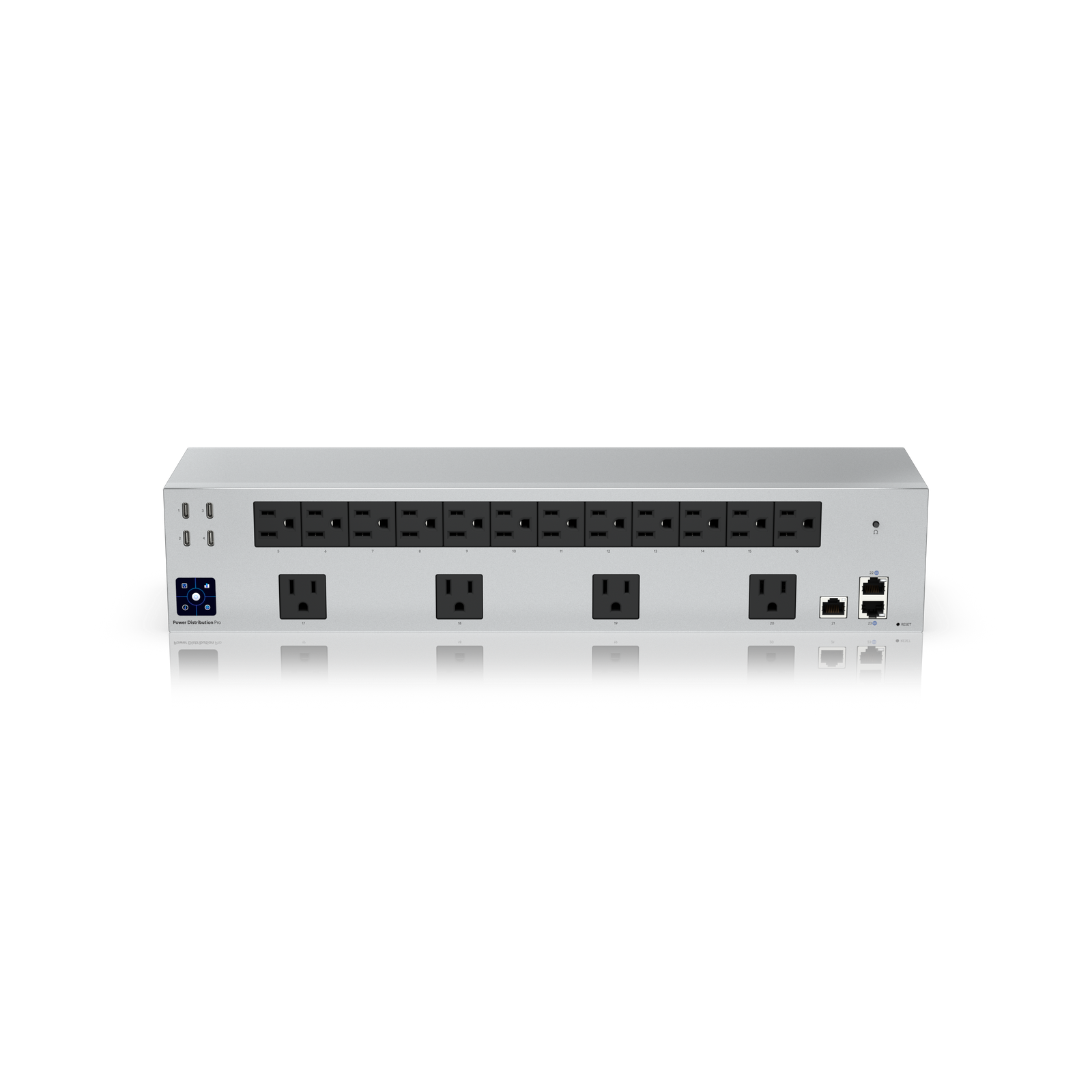
Ubiquiti Power Distribution Pro
Network infrastructure

Ubiquiti Power Distribution Pro

★ 4.4NetworkingPrice tier $$$

Power Distribution Pro is the UniFi power product I like most for normal racks because it gives you remote outlet control without demanding enterprise-scale spe…

Affiliate disclosure: Product links may be affiliate links. If you buy through them, I may earn a commission at no extra cost to you.

Overview

The Power Distribution Pro is a standard-density managed PDU for UniFi racks. It provides per-outlet control and power monitoring for a typical rack of home or small-office network gear, managed through UniFi OS alongside the rest of the network.

It handles the outlet count requirements of most home and small-office deployments without the added cost of the Hi-Density version.


Why I Recommend It

The Hi-Density PDU is the right choice when outlet count is the constraint. The Power Distribution Pro is better suited when the outlet count is adequate and you want per-outlet monitoring without paying for capacity you don't need.

Remote outlet switching means you can reboot a frozen device without physical access to the rack. In a wiring closet or basement rack that requires a dedicated trip to reach, that saves time and effort when devices need power cycling.

Performance & Reliability

Same real-time monitoring and instant switching as the Hi-Density model. The monitoring granularity per outlet lets you notice when a device is consuming abnormal power before it causes a failure.

The Pro PDU has the same reliability profile as the Hi-Density model. Electronics over a basic power strip add a theoretical failure mode, offset by the management capability that aids faster recovery from device failures.

Stay within the rated per-circuit amp limits. Overloading a PDU bank is the most common self-inflicted failure mode.

Setup & Installation

Rack-mount, connect management network port, adopt in UniFi OS, label outlets. Same process as Hi-Density but with fewer outlets to organize. Takes about fifteen minutes once it's physically in the rack.

Value for the Money

Lower cost than the Hi-Density version makes this the right default for typical home network racks. If a future expansion increases outlet requirements, the Hi-Density can replace it at that point.

For a rack with fewer than eight to ten devices, a quality unmanaged power strip may be more cost-appropriate. The managed PDU pays for itself when remote power cycling prevents an unnecessary physical visit to the rack.

Technical Specs

Core Details
Networking Category
Connectivity
Ethernet, UniFi Protocols
Use Case
IT-forward smart homes that need enterprise-grade network infrastructure. Best for
Technical Specs
$279 MSRP

Related Videos

Watch setup walkthroughs, product context, and companion guidance.

Browse videos
Supercharge your home network with the UDM Pro
Networking

Supercharge your home network with the UDM Pro

Explore the benefits of using the Ubiquiti Unifi Platform in your smart home network and take a look at the initial setup of a Dream Machine Pro.

20:28 2.2K views

Configure the Ubiquiti Dream Machine Pro in 10 minutes!
Networking

Configure the Ubiquiti Dream Machine Pro in 10 minutes!

Basic configuration of the UDM Pro. Set up VLANs, wifi networks, and basic security in only 10 minutes.

9:24 1.2K views

Smart Home Networking
Networking

Smart Home Networking

Learn the basics of smart home networking and why the network is a critical part of your smart home.

14:08 695 views