← Back to Products
Ubiquiti Power Distribution Hi-Density
Network infrastructure

Ubiquiti Power Distribution Hi-Density

★ 4.7NetworkingPrice tier $$$$

Power Distribution Hi-Density is the rack power product I recommend when a UniFi deployment has grown past a handful of appliances and you want power delivery t…

Affiliate disclosure: Product links may be affiliate links. If you buy through them, I may earn a commission at no extra cost to you.

Overview

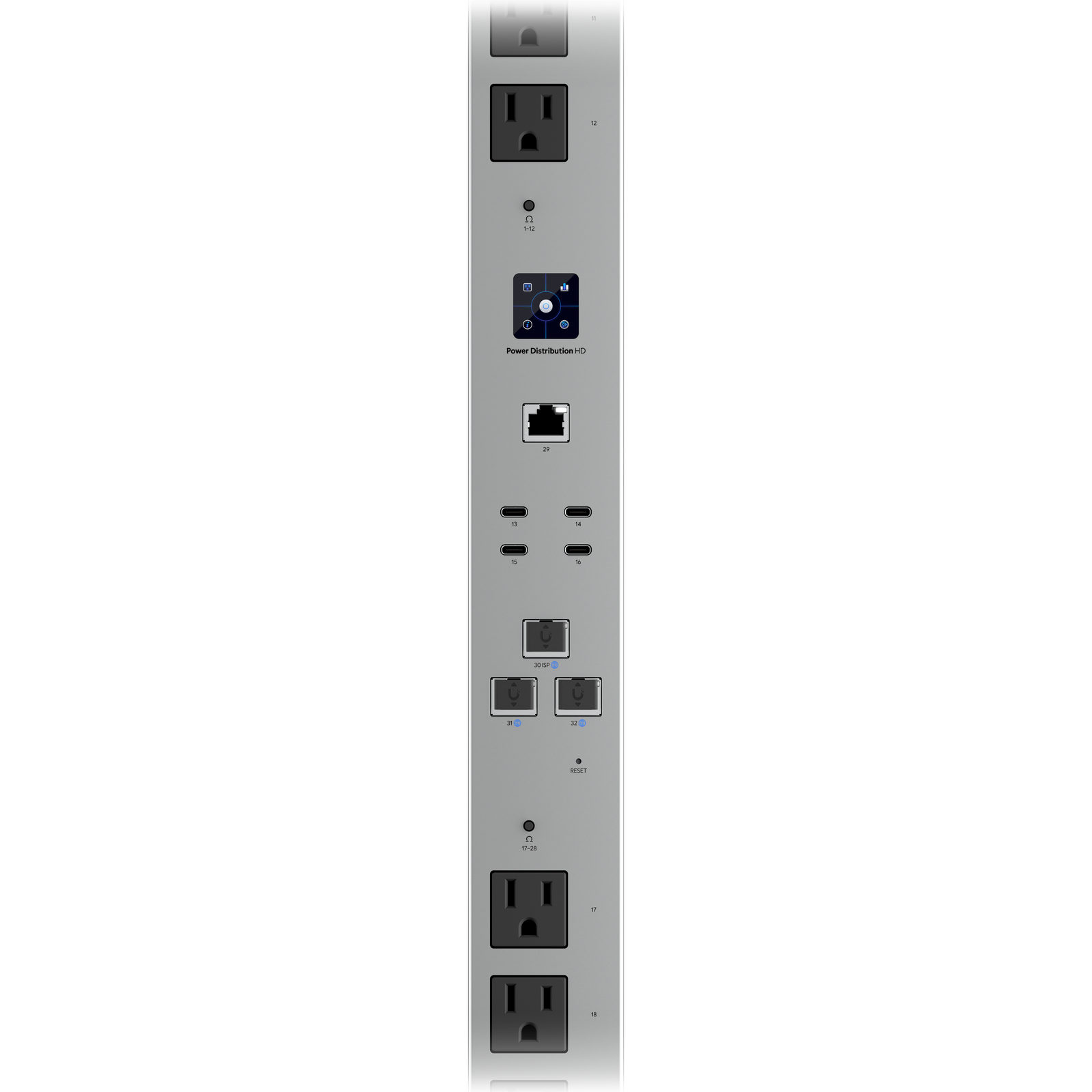
The Power Distribution Hi-Density is a managed PDU designed for racks with a large number of devices, offering more outlets than the standard Power Distribution Pro in the same unit height. Each outlet is individually monitored and controllable through UniFi OS.

It tracks per-outlet power consumption and can reboot individual devices remotely, which is particularly useful when a device is unresponsive and the rack is not physically accessible.


Why I Recommend It

Dense racks with many 1U devices quickly exhaust a standard PDU's outlet count. The Hi-Density version solves that without stacking multiple PDUs and the cabling complexity that creates.

Unlike basic power strips with no monitoring, the per-outlet current readings let you watch for devices that are drawing abnormally high or low power, which can be an early sign of hardware problems before a device fails completely.

Performance & Reliability

Power switching is nearly instant on remote reboot commands. Monitoring data updates in the UniFi interface every few seconds. The unit itself introduces no meaningful latency into the power chain.

Managed PDUs add a layer of electronics over a basic power strip, which theoretically adds a failure mode. In practice, PDU failures are rare compared to the devices they power. The monitoring and remote reboot capability recovers from more failures than the PDU hardware itself is likely to cause.

Ensure rack power budgets are accurate before load. The Hi-Density unit has maximum amp ratings per bank that need to be respected when planning device distribution.

Setup & Installation

Rack-mount and connect to the network via the management port. Adopt in UniFi OS. Label outlets in the interface to match physical device connections so remote reboot identification is unambiguous.

Value for the Money

Managed PDUs in general cost significantly more than unmanaged strips. The value comes from remote power management, which pays for itself the first time you reboot a frozen device without driving to the rack.

For a home rack with five or six devices, this is overkill. For a rack with twenty or more 1U devices, the outlet density and per-outlet monitoring are worth the premium.

Technical Specs

Core Details
Networking Category
Connectivity
Ethernet, UniFi Protocols
Use Case
IT-forward smart homes that need enterprise-grade network infrastructure. Best for
Technical Specs
$999 MSRP

Related Videos

Watch setup walkthroughs, product context, and companion guidance.

Browse videos
Supercharge your home network with the UDM Pro
Networking

Supercharge your home network with the UDM Pro

Explore the benefits of using the Ubiquiti Unifi Platform in your smart home network and take a look at the initial setup of a Dream Machine Pro.

20:28 2.2K views

Configure the Ubiquiti Dream Machine Pro in 10 minutes!
Networking

Configure the Ubiquiti Dream Machine Pro in 10 minutes!

Basic configuration of the UDM Pro. Set up VLANs, wifi networks, and basic security in only 10 minutes.

9:24 1.2K views

Smart Home Networking
Networking

Smart Home Networking

Learn the basics of smart home networking and why the network is a critical part of your smart home.

14:08 695 views