← Back to Products
Ubiquiti Power Amp
Network infrastructure

Ubiquiti Power Amp

★ 4.7AudioPrice tier $$$$

Power Amp is one of the most appealing recent UniFi lifestyle products because it feels like a serious multi-room audio component, not just a networking company…

Affiliate disclosure: Product links may be affiliate links. If you buy through them, I may earn a commission at no extra cost to you.

Overview

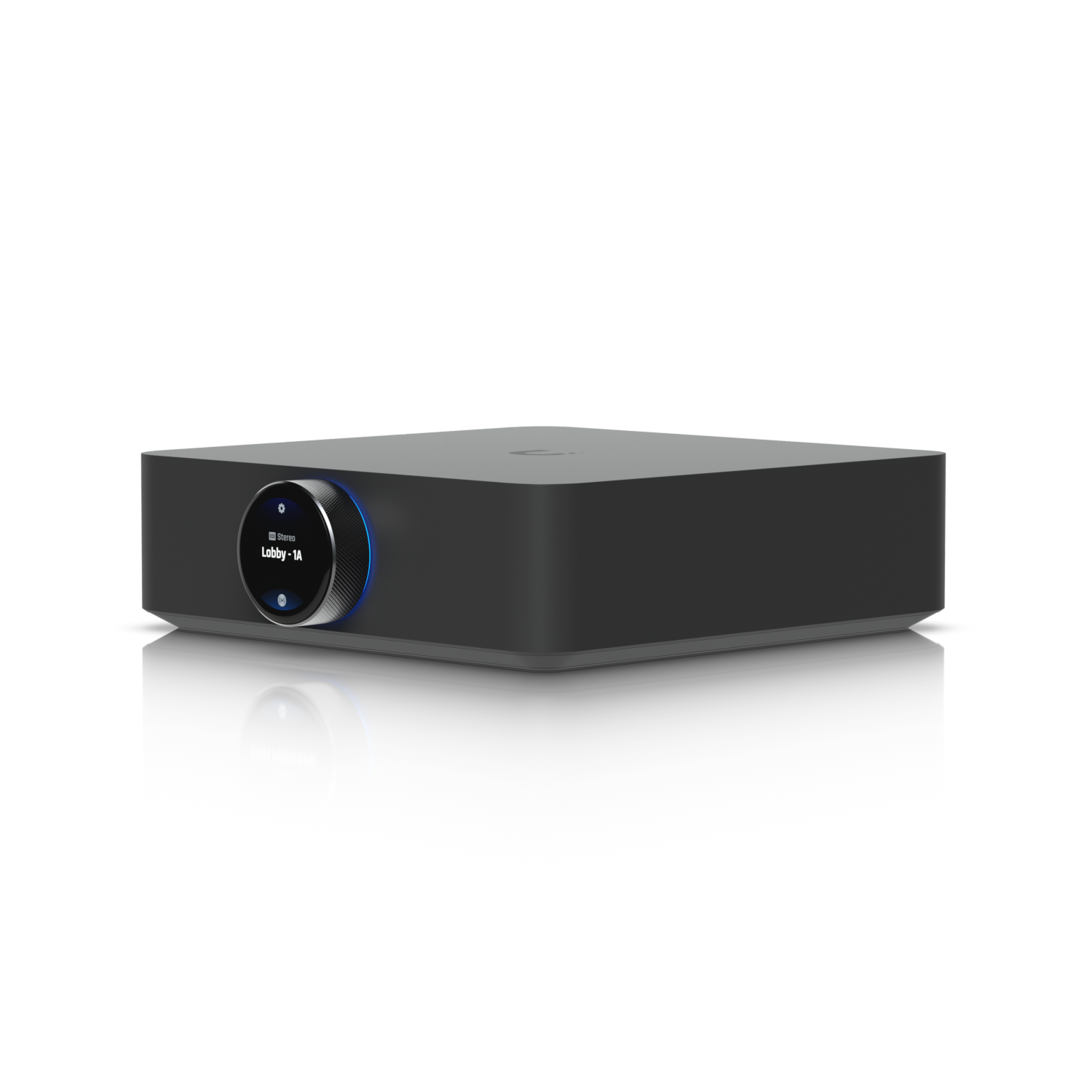
The UniFi Power Amp is a multi-zone audio amplifier that receives PoE power from the network and distributes audio output to passive speakers across up to four zones. It integrates with UniFi OS and is controlled through the same platform as the rest of the network infrastructure.

It's designed for background music distribution in commercial spaces, reception areas, and larger homes where you want audio in multiple rooms without a separate audio system to manage.


Why I Recommend It

Traditional multi-room audio systems from Sonos or Denon run their own apps and their own network protocols. The Power Amp is native to UniFi, which means no separate app ecosystem and no additional controllers to manage alongside the network infrastructure.

PoE power eliminates a separate power adapter at the amplifier location. One Cat6 cable handles both power and audio source delivery, which simplifies the cable run significantly.

Performance & Reliability

Output power per zone is suited for background music levels with typical passive speakers. It's not designed for high-volume or audiophile-grade listening. For lobby background music, conference room announcement capability, or light background audio in a commercial space, the output level is appropriate.

PoE-powered network audio infrastructure is simpler than traditional amplifier setups with separate power supplies at each device. Fewer components in the signal chain means fewer failure points.

UniFi's audio platform is less mature than its networking and access control products. Feature updates have been slower and some promised capabilities took longer to ship than initially indicated.

Setup & Installation

Connect to a PoE switch port, route speaker wire to passive speakers in each zone, adopt in UniFi OS, configure zone assignments. Speaker wire runs are the most labor-intensive part of the installation. Plan the routing carefully before pulling wire.

Value for the Money

The native UniFi integration is the main differentiator. For an installation already deep in the UniFi stack, adding audio through the same platform rather than introducing a separate Sonos or Denon system has meaningful operational appeal.

If you're not already invested in UniFi, purpose-built multi-room audio systems from Sonos have a more mature feature set and broader third-party integration. The Power Amp's value is highest within an existing UniFi deployment.

Technical Specs

Core Details
Networking Category
Connectivity
Ethernet, UniFi Protocols
Use Case
IT-forward smart homes that need enterprise-grade network infrastructure. Best for
Technical Specs
$599 MSRP

Related Videos

Watch setup walkthroughs, product context, and companion guidance.

Browse videos
Configure the Ubiquiti Dream Machine Pro in 10 minutes!
Networking

Configure the Ubiquiti Dream Machine Pro in 10 minutes!

Basic configuration of the UDM Pro. Set up VLANs, wifi networks, and basic security in only 10 minutes.

9:24 1.2K views

Supercharge your home network with the UDM Pro
Networking

Supercharge your home network with the UDM Pro

Explore the benefits of using the Ubiquiti Unifi Platform in your smart home network and take a look at the initial setup of a Dream Machine Pro.

20:28 2.2K views

Home Assistant Alerts on Fire TV | Never Miss Them Again
Home Assistant

Home Assistant Alerts on Fire TV | Never Miss Them Again

Push on-screen pop-up notifications from Home Assistant directly to your Amazon Fire TV — so motion alerts, doorbell events, and custom automations always get noticed, even mid-binge.

8:27 New