← Back to Products
Ubiquiti G6 180
UniFi Protect

Ubiquiti G6 180

★ 4.7CamerasPrice tier $$$

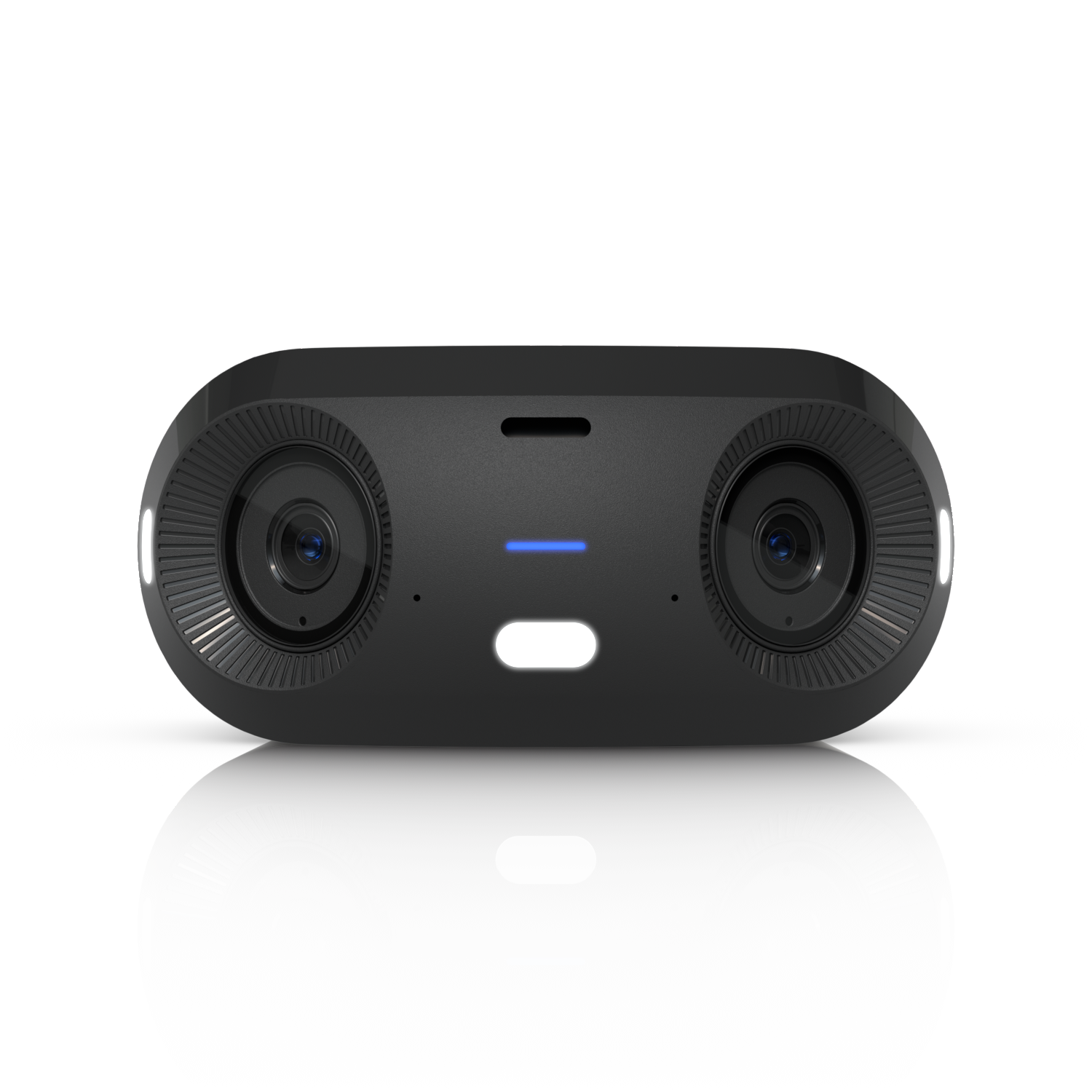
The G6 180 is one of the easiest Protect picks to recommend when you want panoramic corridor, storefront, or frontage coverage.

Affiliate disclosure: Product links may be affiliate links. If you buy through them, I may earn a commission at no extra cost to you.

Overview

The G6 180 captures a 180-degree horizontal field of view in a single camera, covering an entire wall-to-wall span from a single mount point. It's a panoramic camera designed for spaces where a standard camera's 90 to 110 degree view would require two or three cameras for equivalent coverage.

The footage is dewarped in UniFi Protect, presenting the wide view in a usable rectangular format rather than the fisheye distortion you'd see from the raw sensor.

Why I Recommend It

Wide open spaces like parking lots, large retail floors, and conference rooms typically need multiple cameras to avoid coverage gaps. One G6 180 mounted at the center of a wall covers the same floor area as two or three standard cameras, with one cable run, one adoption, and one device to manage.

At crowded entry points or lobbies, the 180-degree view captures people approaching from both sides simultaneously. A standard camera pointed at the door misses anyone coming from the periphery.

Performance & Reliability

The wide sensor format trades edge sharpness for coverage breadth. Center-frame resolution is good. Subjects at the extreme edges of the 180-degree field appear at lower resolution than they would in a standard camera's central zone. For identification at the edges, this is a limitation.

Same UniFi Protect integration and PoE reliability as the rest of the G6 line. No unique reliability considerations beyond what applies to all G6 cameras.

Dewarping processing happens in Protect on the NVR. High camera counts with multiple G6 180 units adds more dewarping compute load than equivalent standard cameras.

Setup & Installation

Mount at the midpoint of the wall you want to cover for maximum symmetry. The 180-degree view is horizontal, so height placement affects what angle the camera captures floor versus ceiling. Typically mounted at about 8 to 10 feet for optimal coverage.

Value for the Money

One G6 180 versus two or three standard cameras for the same coverage area is the core value calculation. The G6 180 costs more than a single standard camera but less than the multiple cameras it replaces, and requires only one cable run.

For spaces where every degree of horizontal coverage matters and edge resolution is acceptable, this is the most efficient camera per dollar of coverage. For spaces that also need clear edge identification, multiple overlapping standard cameras may serve better.

Technical Specs

Core Details
Cameras Category
Connectivity
PoE, Ethernet, UniFi Protect Protocols
Use Case
UniFi Protect users who want reliable AI-powered security cameras. Best for
Technical Specs
$299.0 MSRP
16MP 7680 x 2160 (3.5:1) Resolution
20 FPS Frame rate

Related Videos

Watch setup walkthroughs, product context, and companion guidance.

Browse videos
Design the Ultimate Smart Home from Scratch! Part 6 - Security
Design

Design the Ultimate Smart Home from Scratch! Part 6 - Security

Part 6 of Designing the Ultimate Smart Home series. Discussion of cameras, sensors, and other security measures to protect your smart home.

5:38 448 views

Supercharge your home network with the UDM Pro
Networking

Supercharge your home network with the UDM Pro

Explore the benefits of using the Ubiquiti Unifi Platform in your smart home network and take a look at the initial setup of a Dream Machine Pro.

20:28 2.2K views

Can this tiny sensor make your home smarter?
Reviews

Can this tiny sensor make your home smarter?

Installation and review of one of the best Smart Sensors - the Aqara P2 Door and Window Sensor.

9:59 302 views