← Back to Products
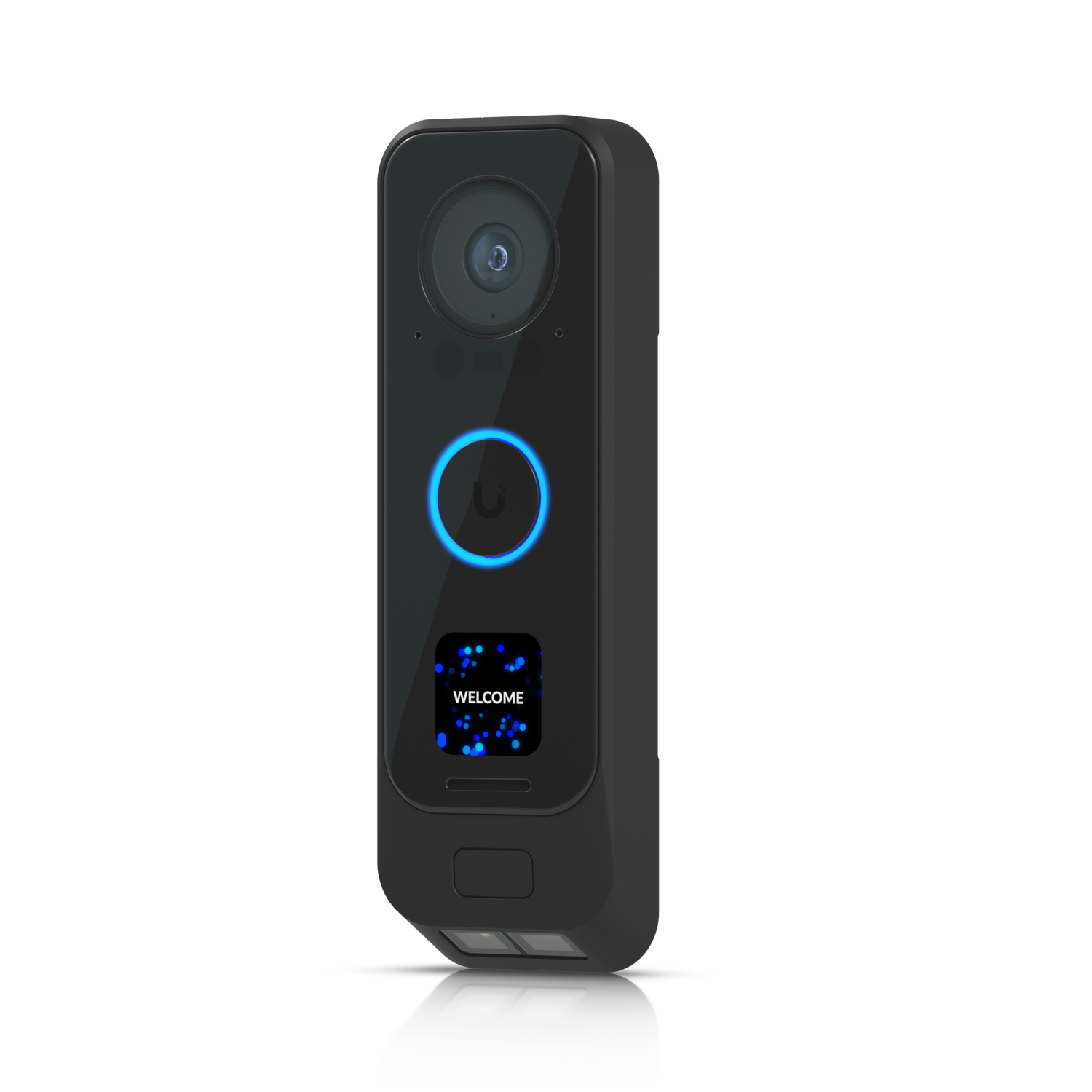
Ubiquiti G4 Doorbell Pro
Access control

Ubiquiti G4 Doorbell Pro

★ 4.7Door AccessPrice tier $$$

The G4 Doorbell Pro is still the UniFi doorbell I point people toward when they want the most polished front-door experience rather than the cheapest one.

Affiliate disclosure: Product links may be affiliate links. If you buy through them, I may earn a commission at no extra cost to you.

Overview

The G4 Doorbell Pro is a PoE-powered video doorbell that records locally through UniFi Protect. It replaces the traditional cloud-subscription doorbell model entirely. Footage goes to your NVR, visitors can be talked to through a two-way speaker, and the doorbell chime is handled by the separate PoE Smart Chime or an existing wired chime.

It's built into the UniFi Protect interface alongside your other cameras, which means doorbell events show up in the same timeline as motion events from every other camera on the property.

Why I Recommend It

Ring and Nest video doorbells work by sending footage to a cloud server. You pay monthly for recorded history access, and your footage is stored on someone else's hardware. The G4 Doorbell Pro stores everything on your NVR. No subscription, no external dependency for footage access.

PoE power is cleaner than battery or existing doorbell wiring. A single Cat6 run to the doorbell location handles both power and data without worrying about whether your existing low-voltage doorbell transformer has enough capacity.

Performance & Reliability

Video quality is strong for a doorbell-form-factor camera. Wide dynamic range handles bright sun behind a visitor well. The intercom audio is clear in both directions. Motion detection with the AI Key upgrades it to person-specific detection.

PoE-powered devices are significantly more reliable than battery-powered doorbells that occasionally miss visitors because the battery is low. The hardware has been consistent across Ubiquiti's installation base.

Like all UniFi devices, disable automatic updates. Doorbell firmware changes have occasionally introduced pairing issues with the chime unit. Test after any manual update.

Setup & Installation

Run Cat6 to the mounting location, connect the PoE injector or switch port, mount the bracket, and adopt the device in UniFi Protect. If you're replacing an existing wired doorbell, the Cat6 run is the main new work required. Allow two to three hours for cable routing in a typical house.

Value for the Money

No subscription changes the math significantly. Ring's monthly cost for video history adds up to several hundred dollars over three or four years. The G4 Doorbell Pro plus an NVR costs more upfront but has no ongoing fees.

If you already have a UniFi Protect setup, adding the doorbell is a natural extension. If you don't have an NVR or any UniFi infrastructure, starting from zero for a single doorbell is overbuilt.

Technical Specs

Core Details
Cameras Category
Connectivity
PoE, Ethernet, UniFi Access Protocols
Use Case
Businesses and homes that want enterprise-grade physical access control on a UniFi network. Best for
Technical Specs
$299.0 MSRP

Related Videos

Watch setup walkthroughs, product context, and companion guidance.

Browse videos
Home Assistant Alerts on Fire TV | Never Miss Them Again
Home Assistant

Home Assistant Alerts on Fire TV | Never Miss Them Again

Push on-screen pop-up notifications from Home Assistant directly to your Amazon Fire TV — so motion alerts, doorbell events, and custom automations always get noticed, even mid-binge.

8:27 New

Can this tiny sensor make your home smarter?
Reviews

Can this tiny sensor make your home smarter?

Installation and review of one of the best Smart Sensors - the Aqara P2 Door and Window Sensor.

9:59 302 views

Choosing the Right Smart Home Hub
Control

Choosing the Right Smart Home Hub

Taking a look at several popular Smart Home Hubs and how to find the right one for you.

13:57 1.8K views